Built for PhD Students & Researchers
Never lose a paper again.
You've read hundreds of papers you can't find anymore. Save anything—PDFs, web articles, screenshots—then search or ask questions across your entire research library.

You've read hundreds of papers you can't find anymore. Save anything—PDFs, web articles, screenshots—then search or ask questions across your entire research library.
Save papers. Search by concept. Ask anything.
Right-click to save any paper, article, or documentation. We extract the full text so you can search inside it later.
Upload research papers, textbooks, or lecture notes. Search by concept, not just title.
Screenshot key figures, equations, or whiteboard notes. Our AI reads and indexes the content.
"What did Smith et al. say about neural plasticity?" or "Compare the methodologies across my saved papers." Your AI research assistant knows everything you've saved.
Right-click any page, PDF, or image to save it instantly.
We automatically organize and remember everything for you.
Search or chat with your saved bookmarks to find anything in seconds.
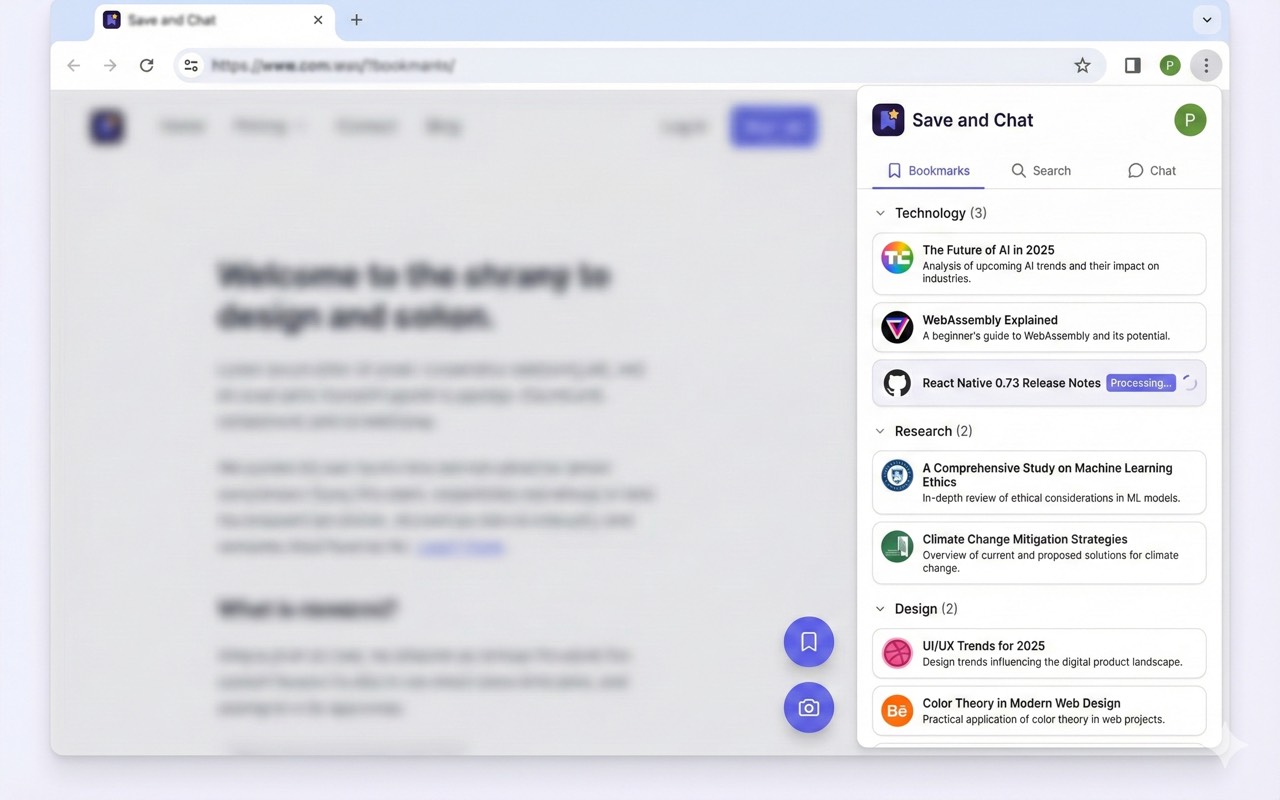
Your bookmarks, organized and searchable in a clean side panel.
Everything you need to know about Save and Chat.
Yes! When you save a PDF, we extract and index all the text inside it. You can search for any word, phrase, or concept across all your saved papers.
Yes! Use the screenshot tool to capture figures, equations, or diagrams. Our AI reads any text in the image and makes it searchable.
Yes! Save papers from any website including arXiv, PubMed, Google Scholar, journal sites, and preprint servers. We extract the content regardless of the source.
Your research library is stored securely in the cloud. Your data is private, never shared with third parties, and never used to train AI models.